MCP协议实战指南:从架构解析到生产级Server开发
MCP协议实战指南:从架构解析到生产级Server开发
想给你的AI Agent装上“万能插头”?还在为每个工具单独写集成代码?
MCP(Model Context Protocol)就是答案。 这个由Anthropic提出、正在成为行业标准的协议,正在彻底改变AI Agent与外部工具的交互方式。今天,我们不谈虚的,直接上手拆解MCP的四层架构,手把手带你开发一个能直接用的MCP Server。
一、MCP四层架构:为什么它比Function Calling强?
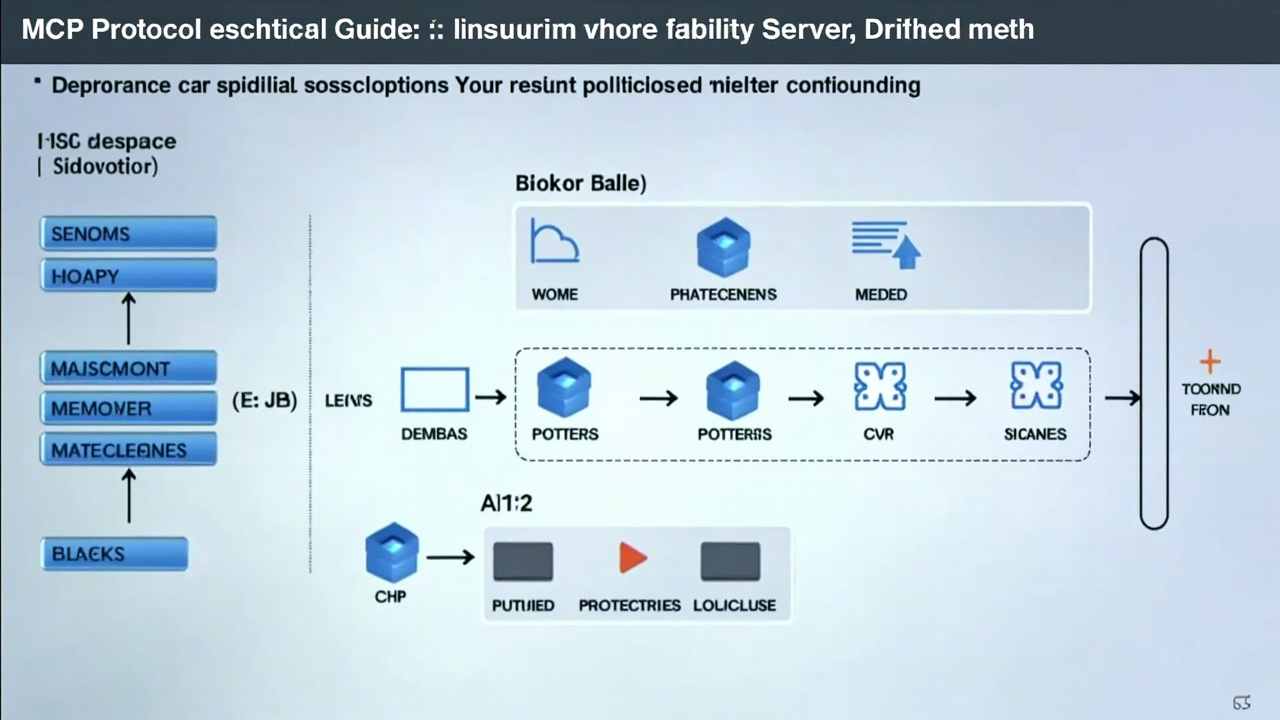
传统AI工具集成就像“一对一适配器”——每接一个新工具,就得写一套专属代码。MCP把这套逻辑标准化了,核心是四层架构:
1. 传输层(Transport)
负责底层通信。支持两种模式:
- stdio:适合本地进程通信,延迟最低
- HTTP + SSE(Server-Sent Events):适合远程服务,支持流式响应
2. 协议层(Protocol)
基于 JSON-RPC 2.0,所有消息都是标准JSON格式。关键点:
- 请求必须有
jsonrpc: "2.0"、id、method、params - 响应必须有
jsonrpc: "2.0"、id、result或error - 通知(notification)没有
id,不需要回复
3. 能力层(Capabilities)
Server声明自己能做什么:
{
  "capabilities": {
    "tools": {"listChanged": true},
    "resources": {"subscribe": true},
    "prompts": {"listChanged": true}
  }
}
4. 应用层(Application)
具体实现:工具函数、资源读取、提示词模板等。
对比Function Calling:MCP是标准化协议,一次开发,所有支持MCP的AI模型(Claude、GPT、本地模型)都能调用你的工具。而Function Calling是模型私有实现,换模型就得重写。
二、通信机制:JSON-RPC 2.0实战拆解
MCP所有交互都基于JSON-RPC 2.0,我们看一个完整流程:
1. 初始化握手
Client发送:
{
  "jsonrpc": "2.0",
  "id": 1,
  "method": "initialize",
  "params": {
    "protocolVersion": "2024-11-05",
    "capabilities": {},
    "clientInfo": {"name": "test-client", "version": "1.0"}
  }
}
Server响应:
{
  "jsonrpc": "2.0",
  "id": 1,
  "result": {
    "protocolVersion": "2024-11-05",
    "capabilities": {
      "tools": {"listChanged": true}
    },
    "serverInfo": {"name": "my-server", "version": "1.0"}
  }
}
2. 工具发现
Client获取可用工具列表:
{"jsonrpc": "2.0", "id": 2, "method": "tools/list"}Server返回工具定义:
{
  "jsonrpc": "2.0",
  "id": 2,
  "result": {
    "tools": [{
      "name": "get_weather",
      "description": "获取指定城市天气",
      "inputSchema": {
        "type": "object",
        "properties": {
          "city": {"type": "string", "description": "城市名称"}
        },
        "required": ["city"]
      }
    }]
  }
}
3. 工具调用
Client执行工具:
{
  "jsonrpc": "2.0",
  "id": 3,
  "method": "tools/call",
  "params": {
    "name": "get_weather",
    "arguments": {"city": "北京"}
  }
}关键细节:
- 每个请求有唯一
id,响应回复相同id - 通知(如
notifications/initialized)没有id,不需要回复 - 错误响应包含
error.code和error.message
三、生产级MCP Server开发:天气查询服务
我们用Python开发一个真实的天气查询MCP Server,支持stdio和HTTP两种传输方式。
项目结构:
weather-mcp-server/
├── server.py          # 主服务
├── weather_api.py     # 天气API封装
├── requirements.txt
└── README.md
1. 安装依赖
pip install mcp fastapi uvicorn httpx2. 核心实现(server.py)
from mcp.server import Server
from mcp.server.stdio import stdio_server
from mcp.types import Tool, TextContent
import httpx
import json
# 初始化MCP Server
server = Server("weather-server")
@server.list_tools()
async def list_tools():
"""声明可用工具"""
return [
Tool(
name="get_weather",
description="获取中国城市实时天气(使用和风天气API)",
inputSchema={
"type": "object",
"properties": {
"city": {
"type": "string",
"description": "城市名称,如:北京、上海"
}
},
"required": ["city"]
}
)
]
@server.call_tool()
async def call_tool(name: str, arguments: dict):
"""执行工具调用"""
if name == "get_weather":
city = arguments.get("city")
# 调用真实天气API
weather_data = await fetch_weather(city)
return [TextContent(type="text", text=weather_data)]
raise ValueError(f"未知工具: {name}")
async def fetch_weather(city: str) -> str:
"""调用和风天气API(示例)"""
# 实际开发中替换为真实API密钥
api_key = "your_api_key_here"
base_url = "https://devapi.qweather.com/v7/weather/now"
# 城市名转LocationID(简化处理)
location_map = {"北京": "101010100", "上海": "101020100"}
location = location_map.get(city, "101010100")
async with httpx.AsyncClient() as client:
response = await client.get(
f"{base_url}?location={location}&key={api_key}"
)
data = response.json()
if data.get("code") == "200":
now = data["now"]
return f"""城市: {city}
天气: {now['text']}
温度: {now['temp']}°C
体感温度: {now['feelsLike']}°C
湿度: {now['humidity']}%
风向: {now['windDir']}
更新时间: {now['obsTime']}"""
else:
return f"获取天气失败: {data.get('code')}"
# 启动stdio模式
if __name__ == "__main__":
import asyncio
asyncio.run(stdio_server(server))3. 支持HTTP+SSE传输
# 添加HTTP支持(在server.py中)
from fastapi import FastAPI
from sse_starlette.sse import EventSourceResponse
import json

app = FastAPI()

@app.post("/mcp")
async def handle_mcp_request(request: dict):
    """处理MCP over HTTP请求"""
    method = request.get("method")
    params = request.get("params", {})

    if method == "initialize":
        return {
            "jsonrpc": "2.0",
            "id": request["id"],
            "result": {
                "protocolVersion": "2024-11-05",
                "capabilities": {"tools": {"listChanged": True}},
                "serverInfo": {"name": "weather-server", "version": "1.0"}
            }
        }
    # ... 其他方法处理

@app.get("/mcp/sse")
async def sse_endpoint():
    """SSE流式端点"""
    async def event_generator():
        # 发送服务器事件
        yield {"data": json.dumps({"type": "connected"})}

    return EventSourceResponse(event_generator())
4. 部署与测试
# 1. 启动stdio模式(供Claude Desktop等客户端)
python server.py

# 2. 启动HTTP模式
uvicorn server:app --host 0.0.0.0 --port 8000

# 3. 测试工具调用
curl -X POST http://localhost:8000/mcp \
  -H "Content-Type: application/json" \
  -d '{
    "jsonrpc": "2.0",
    "id": 1,
    "method": "tools/call",
    "params": {
      "name": "get_weather",
      "arguments": {"city": "北京"}
    }
  }'
四、MCP在AI Agent生态中的真实价值
1. 工具市场标准化
想象一个“AI工具商店”:开发者上传MCP Server,用户像安装浏览器插件一样安装工具。yitb.com(yitb.com)的Agent生态正在朝这个方向发展。
2. 自动化赚钱案例
某跨境电商团队用MCP搭建了自动化流水线:
- MCP Server 1:监控1688新品(每10分钟扫描)
- MCP Server 2:自动生成多语言商品描述
- MCP Server 3:同步到Shopify店铺
- 结果:人力成本降低70%,上新速度提升5倍,月均新增SKU 3000+
3. 开发效率提升
传统集成一个新工具需要:阅读文档→写适配代码→测试→部署(平均2-4小时)。
用MCP:找到现成MCP Server→配置连接→直接使用(平均5分钟)。
五、下一步行动:三步上手MCP
1. 本地测试(5分钟)
- 安装Claude Desktop
- 在配置文件中添加我们的天气Server
- 直接问Claude:“北京今天天气怎么样?”
2. 开发你的第一个MCP Server(1小时)
- 克隆我们的示例代码
- 修改
fetch_weather函数,接入你常用的API(股票、新闻、内部系统) - 用stdio模式测试通过
3. 加入生态(长期)
- 将你的MCP Server开源到GitHub
- 提交到MCP工具目录(如yitb.com的Agent市场)
- 关注A2A协议发展,实现Server间互操作
关键资源:
- MCP官方文档:https://modelcontextprotocol.io
- Python SDK:https://github.com/modelcontextprotocol/python-sdk
- 现成MCP Server列表:https://github.com/modelcontextprotocol/servers
MCP不是银弹,但它是目前最接近“AI工具USB标准”的协议。现在开始开发,你的工具就能被所有支持MCP的AI模型调用——这才是真正的杠杆效应。